Design and internal products

Designing the systems behind revenue management.
I design the tools revenue-management teams use to make high-stakes decisions: a shared design system, redesigned workflows, and prototypes built in code. I also own the product roadmap, so I follow my designs through delivery.
- Current role and design scope
- Product Owner II, Revenue Management, continuing hands-on product design
- At SIXT
- November 2023–present
- Design contribution
- Shared design language for revenue-management tools
Shared tools. Different operational needs.
My work at SIXT spans back-office design foundations, revenue-management applications, and the way teams move from design to implementation. The Revenue Management Cockpit serves Yield, Pricing, and Fleet, three teams that read the same data for different decisions. Each chapter below follows one decision in detail, then two smaller ones.
Design systems
Turning interaction rules into a system people can follow.
Revenue-management tools needed a consistent design language across applications, while still supporting the detail of each operational workflow.
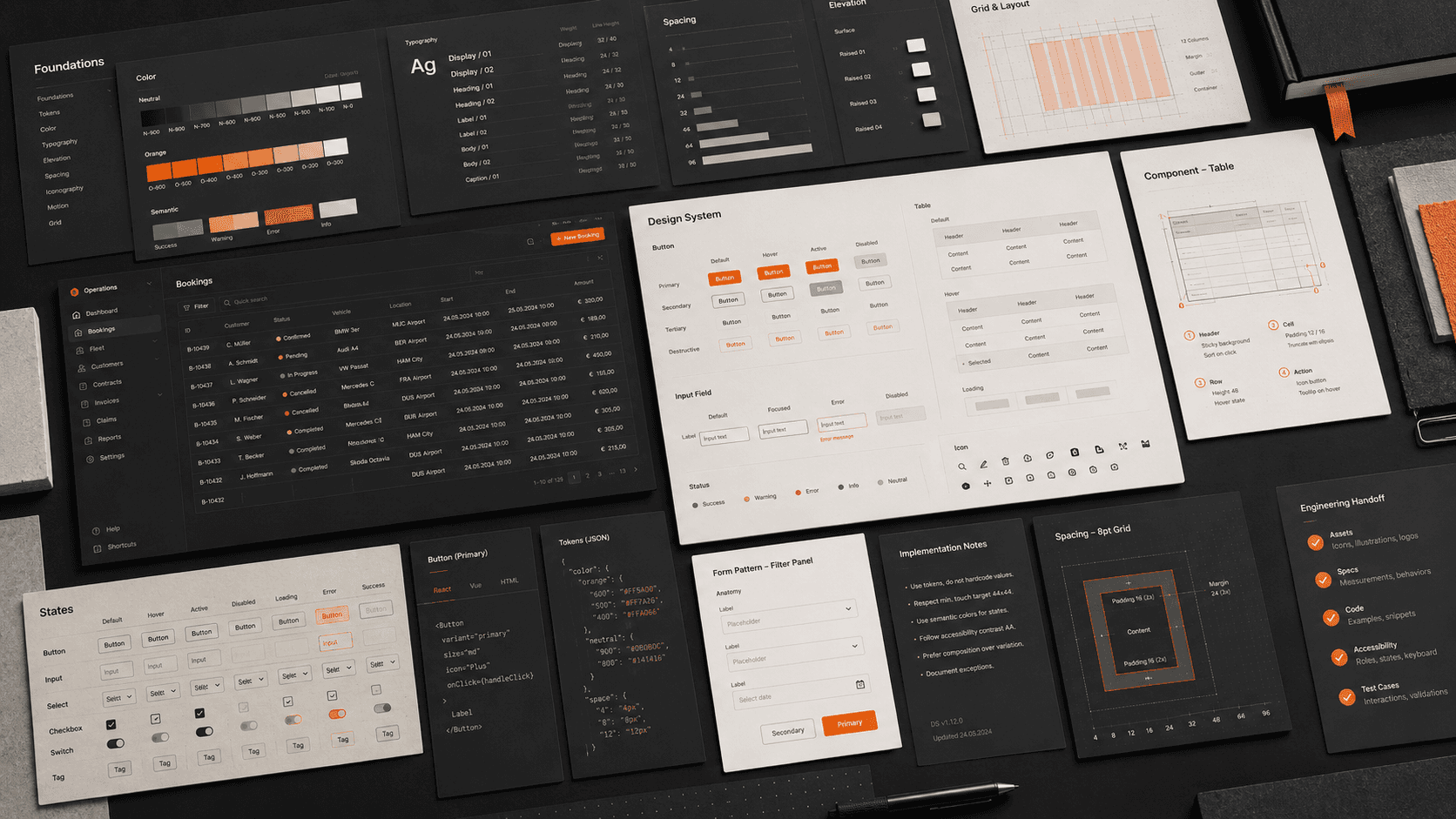
Together with another designer, I developed the back-office design system. I worked with engineering on implementation and wrote the first draft of the component guidelines. In the tools I designed, I settled the interaction rules for forms, dialogs, tables, and imports, and wrote down why each one exists.
- What I shaped
- Component guidelines, interaction conventions for forms, dialogs, tables, and imports, and the engineering handover that put them into the applications.
- What it demonstrates
- Writing down the reason behind a rule, so it survives the next person who has to apply it.
In detail · Editing
How an edit should open.
Forms and dialogs are where a design system is tested most, because every screen needs them and each one can drift. This is how I settled one convention, and what it cost.
- Problem
- A manager dialog whose rows opened an edit dialog stacked one modal on top of another, which the product does not allow.
- Option
- A side drawer would have kept the underlying view visible, and that is a real benefit.
- Choice
- I chose a dialog anyway, because the product used one consistently and a drawer read as off-pattern. Any list that launches an edit moved onto a page or tab, so the edit dialog is the only modal open.
- Trade-off
- A modal hides the view behind it. To make up for that, the dialog header now carries what the user was looking at, such as the selected date range.
Empty never means “all”.
Fields where an empty value meant “applies to everything” were invisible: an empty field looked the same as an unfinished one. I replaced it with an explicit All option, selected by default. Choosing a specific value clears it, and emptying the selection brings it back.
Match the response to the risk.
A duplicate or overlapping entry blocks Save at the field. A bulk edit that would overwrite existing values gets a confirmation instead, with the destructive choice kept apart on the right. An upload with any failing row is rejected whole and every error is listed in one pass, so the data is never half imported and the user fixes the file once.
Revenue-management UX
Designing for people who read dense screens to make decisions.
As the solo designer for revenue management, I worked across tools with dense information and operational workflows. Each application needed to support its own tasks while feeling like one product.
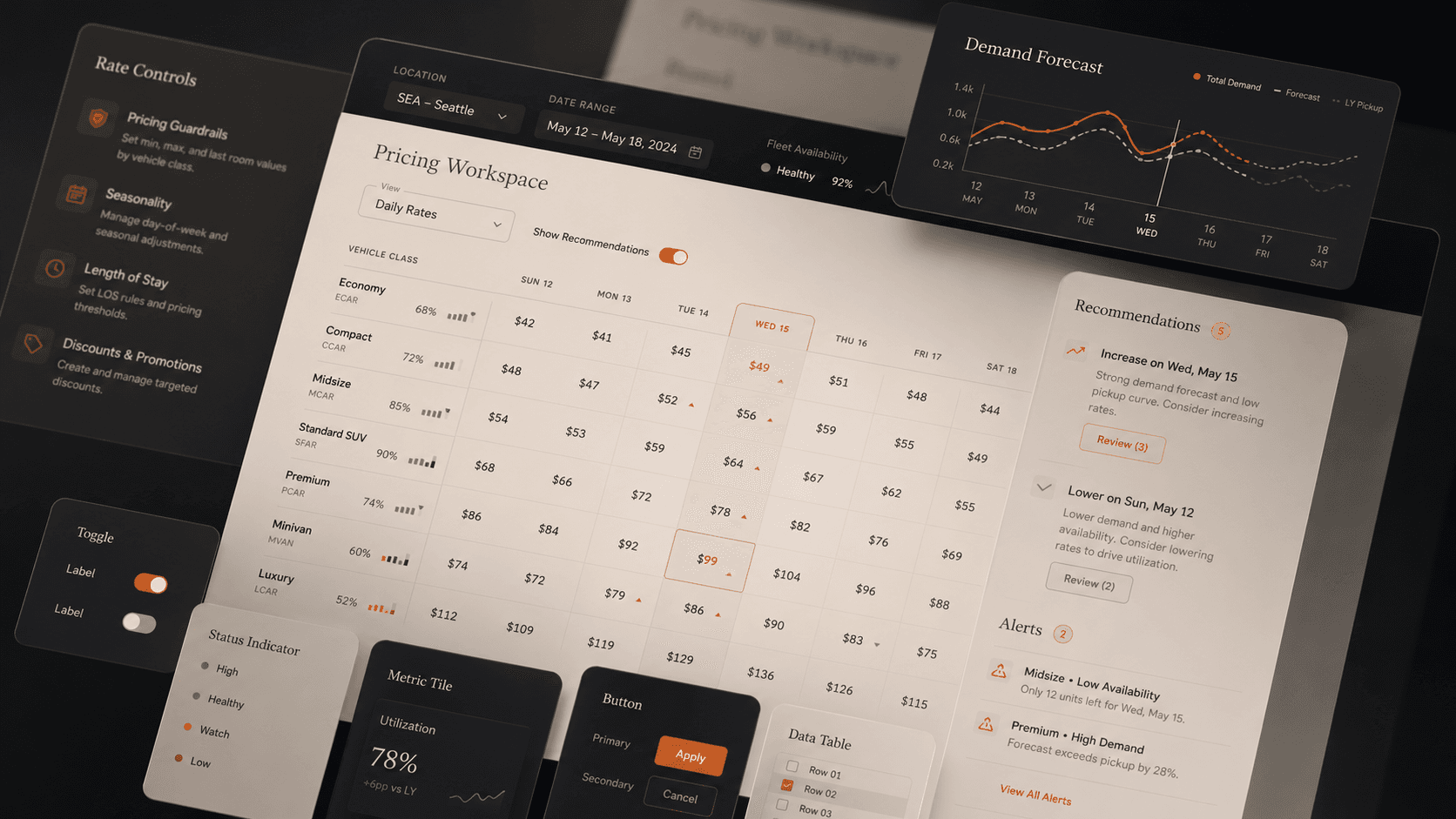
I redesigned the revenue-management tools with the shared design system, working on information hierarchy, filtering, overview screens, and how related interactions behave. Alongside this I run user interviews, build personas and journey maps, and test usability, so the decisions start from how people actually work.
- What I shaped
- Information hierarchy, filter and overview patterns, and interaction behavior across tools used by Yield, Pricing, and Fleet.
- What it demonstrates
- Making dense screens easier to scan and configure without hiding the detail experts need.
In detail · Filters
Keeping the filters in reach.
Revenue-management screens are long and data-heavy, and people filter them constantly. Where the filters live decides whether they can keep their bearings while they scroll.
- Problem
- On long monitoring screens, the filter row scrolled out of view as soon as the content did.
- Choice
- I standardized one sticky filter bar: pinned at the top, with a divider and a solid background so content does not show through it.
- Standard
- It became the default for any page-level control row that should stay visible while its content scrolls, so new monitoring screens start from it instead of inventing their own.
Lead with what people read.
A configuration list led with a free-text remark field. Users treat that field as an afterthought, and it is often generic or repeated, so rows that were different looked identical. I rejected the name-led layout and ordered each row by the attributes people tell configurations apart by, level and location first, with the remark left to the detail form.
Let each team arrange its own view.
Yield, Pricing, and Fleet read the same overview screens differently, so I did not pick one arrangement for all three. I made a configurable tile layout the default for new overview screens: draggable, resizable tiles, a layout remembered between visits, and a zoom for any single chart.
Prototyping and delivery
Prototyping in the codebase, with the system’s rules attached.
A prototype is only useful if it behaves like the product. AI-assisted prototyping needed the same product context and component guidance as the rest of the design process.
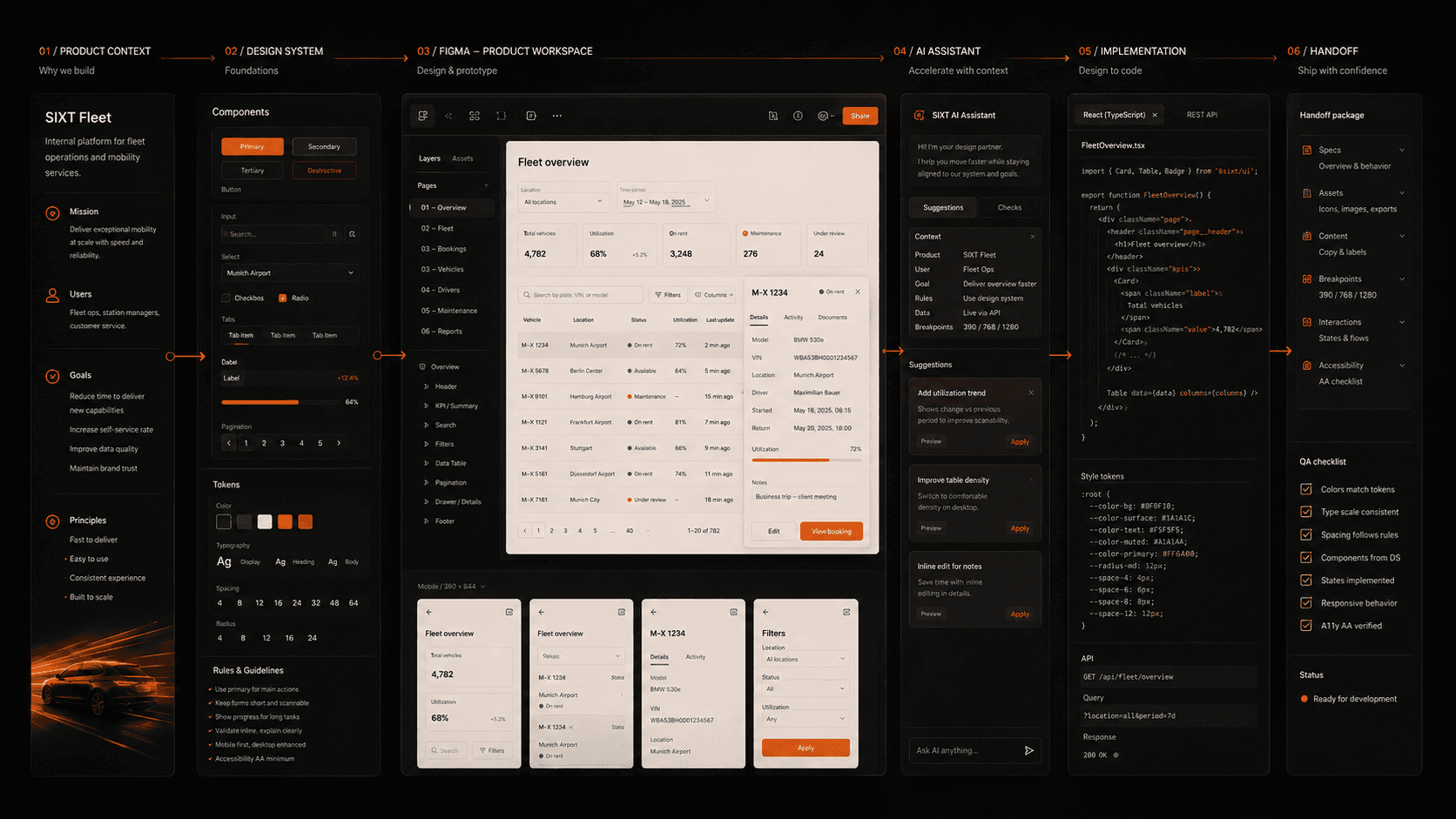
I connected Figma, Claude, and Cursor in my design-to-code workflow and prototyped directly in the codebase. I wrote reusable skills and rules for it, then helped other designers and product owners use them in their own prototyping.
- What I shaped
- The prototyping workflow, the rules that keep AI output inside the design system, and the packaging that lets reviewers open a prototype without a development setup.
- What it demonstrates
- Treating AI as a tool whose output has to be checked against the system, not a shortcut around it.
In detail · AI context
Giving the AI the design system.
AI speeds up prototyping only if it starts from the product knowledge a designer would have. This is how I gave the assistant that context, and where I stop relying on it.
- Problem
- Left alone, an AI assistant writes generic interface code: raw components where the system has its own, and colors chosen for no reason.
- Choice
- I wrote the components, tokens, and interaction rules as standing instructions that load every time the assistant works on the product.
- Check
- I added a verification step: look up each component’s real properties before writing, then compare the finished code against them.
- Limit
- The rules reduce wrong guesses, but they do not replace review. Anything the assistant produces is still checked against the system by a person.
Prototype on the real stack, share without setup.
Prototypes are built on the production components, so states and edge cases are tested the way they will ship and engineers can reuse what they see. Reviewers without a development setup get a static build with a one-click launcher, and when source is handed over, secrets are blanked.
Mock the data, keep the boundary.
Mock data makes a prototype demonstrable before any backend exists. The line I hold is that the mock proves a behavior is possible. The sample values and the machinery that fakes saving never become requirements.
Additional responsibility
Owning the product around the design.
As Product Owner II for the Revenue Management Cockpit, I own the roadmap and backlog, align Yield, Pricing, and Fleet, communicate priorities to senior stakeholders, and coordinate delivery with engineering and design. I keep designing alongside this, which is why the two roles inform each other.
I established the product’s AI vision, including recommendation logic and human oversight. The move toward interactive insights, anomaly detection, and smart alerts is part of that ongoing direction. When I took over as PO, I added structure and updated the team’s working processes to support AI integration and productivity.
I write requirements once a concept has been accepted, so the document records what was validated, and I list each backend dependency as proven or assumed. Engineering told us tickets had grown too long, so with engineering management I changed the format: the ticket states what, why, and how to verify, with acceptance criteria written as Given, When, Then, and implementation guidance lives in one spec per repository.
Before anything ships I test it in a real browser against a table of actions and expected outcomes, and I report confirmed bugs separately from unverified rows. I also read the backend code to sort data needs into already served, needs extension, or blocked, so a design does not depend on data that does not exist.
Design lessons
What this work taught me about design.
A rule needs its reason.
Components and conventions only hold when the reason travels with them. Writing down why an edit is a dialog, or why an empty field never means “all”, is what lets someone else apply the rule correctly.
Consistency needs context.
Shared components are a starting point. The hierarchy, flow, and behavior for each task still need design, especially when three teams read the same screen for different decisions.
AI workflows need design judgment.
Product context and design-system rules have to travel with the prototype, and the output has to be checked against them. Structuring that context and teaching others to use it is part of the design practice.