Embedded HMI and prototyping
Making the full user journey visible.
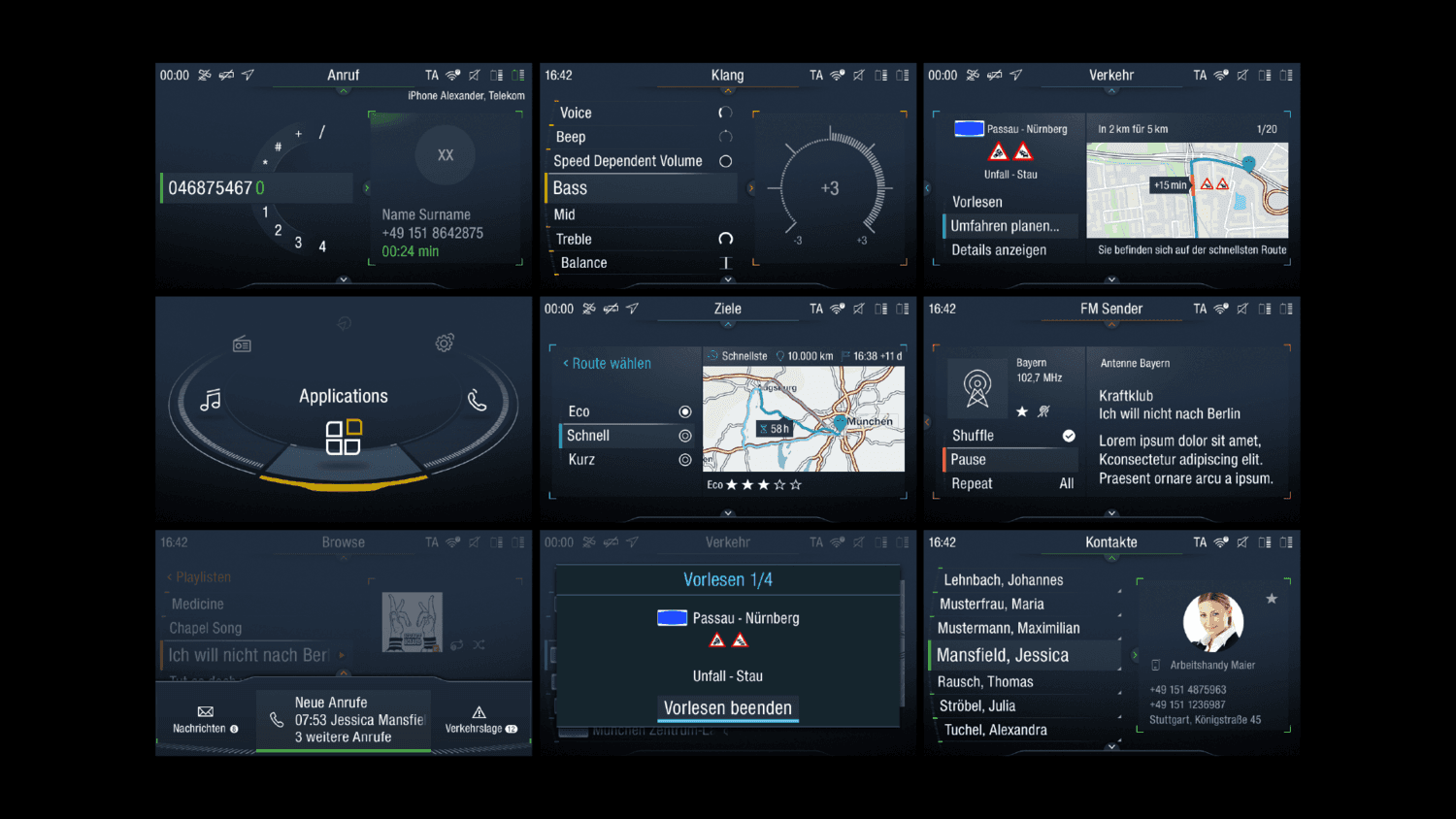
At MAN, interactions were specified as single screens, and everyone filled in the steps between them differently. I introduced prototypes that let people click through a whole scenario, and they began to be used instead of still screens in discussions across engineering and management.
- Role
- Icon and HMI design, graphics department
- At MAN
- 2018–2022
- Design contribution
- Prototypes that made full user journeys visible
Screens, not journeys.
The cluster and infotainment interfaces for the new TGX truck were specified screen by screen. Each screen was meant to explain a full interaction, but nothing showed how one state led to the next. I worked at MAN as an external inside the graphics department, and my primary focus was creating and managing the system's icons. The journey problem was something I raised beyond that remit.
Prototyping
Showing the journey instead of describing it.
Requirements existed per screen, not as consistent patterns across the product. A still picture asks people to imagine what happens from A to B, and it clearly meant different things to different people.
I tried to raise the lack of consistent patterns, but there was nothing that could explain it. So I made the journey visible: I redrew the screens, exported them, and built clickable prototypes in InVision that let people experience a scenario from start to end.
- What I shaped
- Clickable prototypes of multiple scenarios, built as sequences from redrawn screens.
- What it demonstrates
- Making an invisible problem visible, with a tool the team had not yet used.
In detail · Prototypes
Why I built a prototype nobody had asked for.
Prototyping was not part of how the team worked, and I had been told it was too expensive to produce. This is how I made the case with something people could click.
- Problem
- Each screen was specified on its own. People had to imagine what happened from one screen to the next, and different people imagined different things.
- Constraint
- I was told that prototyping was too expensive to produce.
- Choice
- I chose InVision. It was available, simple to use, clickable, and gave me a timeline for animations and easy-to-use components. Nobody at MAN had considered it, so I installed it myself and presented a prototype I had made.
- Result
- People could click through multiple scenarios as a sequence, from start to end. Some patterns were made more consistent, and prototypes started to be used instead of screens in discussions.
Redrawn so they could be used.
The screens I was given were single images. I redrew them and exported them so that I could use them properly in a prototype, instead of working from still pictures.
Used by everyone, then moved to Figma.
The prototypes were used in discussions by everyone from engineering to managers. Later, the prototyping process moved to Figma.
Icons and graphics
Owning the icons the system is built from.
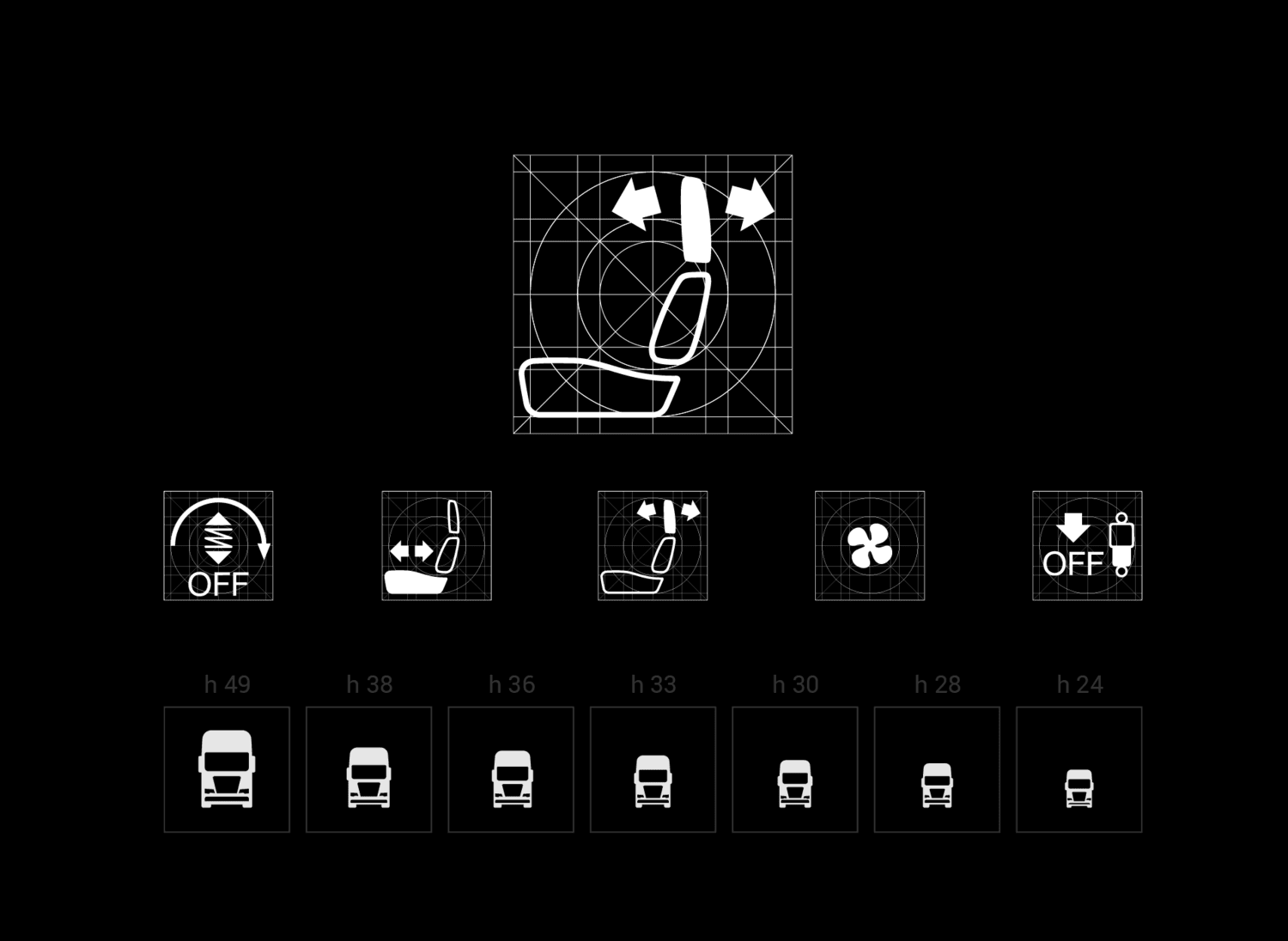
My primary focus at MAN was creating and managing the icons for the system, working from inside the graphics department.
I created and managed the system's icons, and contributed to a more coherent shared HMI language across the cluster and infotainment surfaces.
- What I shaped
- Icon construction and management for the TGX cluster and infotainment.
- What it demonstrates
- Craft and consistency at the level of the smallest repeated element.
Beyond the remit
Working beyond the brief.
I was an external working as an internal in the graphics department, and the work I was there for was the icons. Prototyping was not part of that, and it was not part of anyone's process. I raised the problem, installed the tool, built a prototype, and presented it.
It then became part of how the team discussed interactions, and later the process moved to Figma. It is the same move I made later at Elli and SIXT: building the structure that was missing.
Design lessons
What this work taught me about design.
Still pictures leave gaps.
When a screen has to explain a whole interaction, every reader fills the space between screens in their own way. A journey has to be shown to be shared.
A pattern needs something to point at.
I could not argue for consistent patterns when nothing existed to explain them. Once people could click through a scenario, the argument had something concrete behind it.
A simple tool you can start with beats a perfect one you cannot.
Prototyping was called too expensive, so I used a simple tool that was available and made the case with the result.